Opening
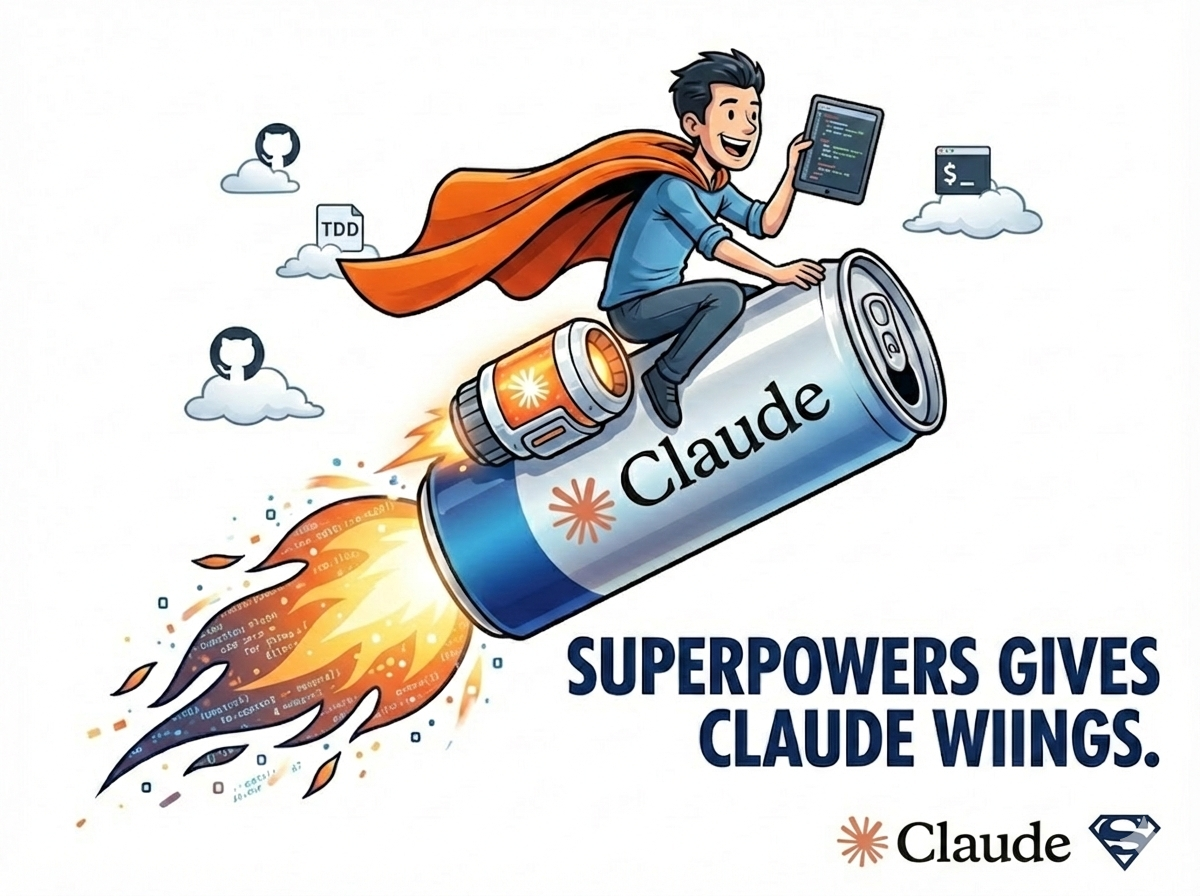
Red Bull gives you wiiings! — Red Bull commercial
Red Bull, spread your wings!
When you’re past the stage of testing a quick idea or doing throwaway vibe coding, you usually reach for one of the more disciplined approaches: clarifying the context, writing tighter prompts, drafting a spec doc first, sticking to spec-driven development.
The problem is that no matter how clearly you define and hand off the work, the agent makes its own calls and drifts in directions you never asked for. That gets worse as the project grows. So one of the commands I built and started leaning on is an interview command. The frontmatter description goes roughly like this.
---
description: >
  When project requirements are vague, this is the interview command
  that has Claude clarify policies, implementation details, and edge cases
  by asking me directly.
  "Don't make the call yourself. Keep asking me questions until the
  ambiguity is gone."
---
The short version is, “Don’t make the call yourself. Keep asking me questions until the ambiguity is gone.” With that in place, instead of guessing, the agent uses AskUserQuestions and runs an actual interview with me about the policies, the current implementation, and the requirements. Especially when you hand off a planning doc or requirements, “language” itself blurs meaning by the original sin of representation, and the AI ends up misreading no matter how cleanly you wrote it. (Same goes for humans.) And honestly, half the time I throw requirements over the wall without thinking through the details either.
So when I flip on plan mode in Codex or Claude Code and run the interview command, I end up with a much sharper requirements doc and implementation plan. It pays off whether I’m building a new feature or fixing a bug.
And once TDD Planning kicks in (the one I described in my earlier post, How a 15-Year CTO Vibe Codes), the work follows a concrete, step-by-step plan.
The catch is that when I’m juggling parallel tasks I forget to run the command, and TDD Planning needs a slightly different setup per language and framework, so configuring a custom skill every time felt like a chore and I’d skip the setup on my end. The interview part is great when it digs in, but I also wanted the agent to read the room a bit on its own. (You know how it is.)
Even with all that, while I was happily using the setup, I came across a skill framework that bundled every command and skill I’d been hand-rolling, and applied Cialdini’s persuasion psychology to LLMs. The name fits the job: it gives your coding agent superpowers (Claude Code, Codex, you name it). It’s called Superpowers.
Cialdini himself co-authored research showing these principles transfer to LLMs. Superpowers leans on three of his six persuasion principles as its core.
Three persuasion principles applied
- Authority: Each skill file declares itself mandatory, so Claude (or Codex) registers it as something it has to follow.
- Consistency: The agent is made to declare it’ll follow a given skill, then nudged to honor what it just declared.
- Social proof: The skill says “all the other skills work this way too,” so the agent treats it as the standard.
Installation on Claude Code is simple. You just grab the plugin from the marketplace. I tend to use Claude Code for quick or throwaway work and Codex for production-grade tasks, and Superpowers pulls its weight on both.
It bundles in the interview and TDD workflows I was already using, then layers on code review, verification, and other supporting skills. So I figured it was worth a writeup.
Installation and basic usage
Install
Superpowers needs Claude Code 2.0.13 or higher. Setup is two lines.
# 1. Register the marketplace
/plugin marketplace add obra/superpowers-marketplace

# 2. Install Superpowers
/plugin install superpowers@superpowers-marketplace
If it doesn’t kick in after install, restart Claude Code. Once it’s installed you’ll see “I have Superpowers”, and Brainstorm, Write Plan, Execute Plan, and the rest of the skills become available.
It also runs on Codex and OpenCode, not just Claude Code. (The repo has 47K stars on GitHub and ships under the MIT license, so you can use it without worry.)
The big shift: it doesn’t go straight to code
The first thing you notice after installing Superpowers is this. Claude refuses to start coding immediately. Plain Claude Code will start typing code the moment you say “build me X.” Claude with Superpowers always starts with questions instead.
That’s the whole point. The interview command I built is now baked in by default. No command needed.
Question, design, plan, TDD, sub-agent dispatch, code review, done.
The biggest win with Superpowers is that this whole flow starts automatically, without any command from you.
The development workflow: 7 stages
The Superpowers workflow runs in 7 stages. Here’s the full flow first.
flowchart TD
    A["1. Brainstorming\nQuestions & design doc"] --> B["2. Git Worktrees\nIsolated worktree"]
    B --> C["3. Writing Plan\nTask breakdown & approval"]
    C --> D["4. Development\nParallel sub-agent dev"]
    D --> E["5. Testing (TDD)\nRED -> GREEN -> REFACTOR"]
    E --> F["6. Verification\nVerify all changes"]
    F --> G["7. Code Review & Finishing\nReview & PR creation"]
    G -->|"next task"| D
    E -->|"test failure"| H["Systematic Debugging\n4-step root-cause analysis"]
    H --> E
Stage 1: Brainstorming
When you make a request, Claude doesn’t start coding. It starts with questions.
“What exactly do you want, and how should it work?” “What should the headline copy say?” “Is the situation input free-form text, or a category picker?”
It carries the conversation through a list of features, the tech stack, the component structure, and writes a design doc itself.
It looks a lot like the interview command I built, but Superpowers fires this off without you typing anything. Even when I forget, Claude jumps in with questions on its own. (That part alone is a relief.)
Stage 2: Git worktree creation
Once the design is approved, the git worktrees skill spins up an isolated worktree.
Why a worktree? With AI coding, running multiple things in parallel makes Git get tangled fast. (I lost count of how many merge-conflict swamps I waded through running parallel tasks in Codex.) Splitting into worktrees keeps the main branch safe even if an experiment blows up, and you can roll back cleanly by deleting the worktree.
Stage 3: Writing the plan
The Writing Plan skill takes the design doc and slices it into concrete tasks. Tasks are decomposed by size, and Claude asks you to approve the plan.
The flow looks a lot like the TDD Planning I’d built, except it generates the right format automatically regardless of language or framework. No more setting up a custom skill every time.
Stage 4: Sub-agent-driven development
Superpowers earns its keep here.
When the plan runs, you can pick between sub-agent-driven mode and batch mode. Sub-agent-driven is the more efficient one: the main Claude plays PM, hands the development work to sub-agents, and merges the results.
Think of it like an orchestra conductor. The main Claude conducts the whole flow, and the sub-agents work their assigned parts (UI, API, data layer, etc.) in parallel. The Dispatch Parallel Agent skill enables this parallel work, which also cuts down on the context errors you get when a single Claude has to juggle everything.
(One caveat: Codex doesn’t support sub-agents yet, so this part isn’t available there.)
Stage 5: TDD and debugging
Superpowers forces TDD. The cycle is RED -> GREEN -> REFACTOR, and it loops.
| Stage | Description |
|---|---|
| RED | Write the test first and confirm it fails |
| GREEN | Write the minimum code to pass it |
| REFACTOR | Clean up the code and improve quality |
When a test fails or a bug shows up, the Systematic Debugging skill kicks in automatically with a 4-step process.
- Analyze the error message (figure out what went wrong)
- Narrow the relevant code scope (find where the issue lives)
- Form and check a hypothesis (reason about why it happened, then verify)
- Fix and test (patch it, then verify again)
It’s basically the same TDD-cycle philosophy I described in my earlier post. The difference is that Superpowers applies it without a separate command, on any language or framework.
Stage 6: Verification
The Verification skill checks every change. It re-runs tests, looks at related-feature impact, and walks through edge cases.
Honestly, I’ve lost count of how many times Claude said “all done” when the thing wasn’t actually working. With this verification step in the loop, that scenario drops off sharply.
Stage 7: Code review and finishing
Each completed task triggers a code review. The review has two layers.
- Spec compliance (was it built to spec)
- Code quality (security holes, performance issues, code style)
Findings are tagged Critical, Major, or Minor, and the agent fixes the code automatically based on the feedback.
When every task is done, the Finishing skill takes care of cleaning up the worktree and opening the PR.
Writing Skills: the power of the meta-skill
The skill library
Here’s the breakdown of what’s built into Superpowers.
| Category | Skill | Description |
|---|---|---|
| Testing & Quality | TDD | RED-GREEN-REFACTOR cycle |
| Debugging | Systematic Debugging | 4-step root-cause analysis |
| Debugging | Verification | Pre-completion verification |
| Collaboration | Brainstorming | Question-driven requirements |
| Collaboration | Plan Composition/Execution | Plan writing and execution |
| Collaboration | Parallel Agent Dispatching | Parallel sub-agent work |
| Collaboration | Code Review | Two-layer code review |
| Collaboration | Git Worktree Management | Worktree create/cleanup |
| Collaboration | Subagent-Driven Development | PM-and-developer split |
| Meta | Writing Skills | Skill creation/edit framework |
| Meta | Superpowers Introduction | System intro |
Every skill is a markdown file. Think of each one as a reusable knowledge module that documents a procedure, best practices, and the workflow.
Building your own skills
The genuinely powerful piece is the Writing Skills meta-skill. You can update existing skills or create new ones from scratch.
Usage is simple. You tell Claude something like this.
"Make me a skill that enforces our company's coding conventions"And Claude builds the skill file for you. When it creates a new skill, it applies the same TDD, sub-agent dispatch, and pressure-test routines as any other dev work. Building a skill itself follows the Superpowers workflow.
The fun part is that you can also hand it a programming-book PDF and ask it to “read this and turn what you learned into a skill.” Whether it’s clean-code principles or a specific architectural pattern, anything documented can become a skill.
Real-world cases
Where Superpowers earns its keep is in the field. A few examples.
1. Next.js 16 migration: a 500-line plan, generated for you
A developer handed Superpowers the job of upgrading his service to Next.js 16 and turning on cacheComponents. He ran /superpowers:write-plan, and it produced a 500-line migration plan.
- A full list of the 23 API route files that needed changes
- The 2 components where
new Date()would break prerendering, identified - The context providers that needed a Suspense boundary, called out
- A 4-day timeline with test checkpoints at each stage
Doing that codebase scan by hand would’ve eaten more than a day.
2. Notion clone: 45 minutes, zero hand-written code
A Notion-style web app (rich-text editor, interactive tables, drag-and-drop kanban board) built end to end with Superpowers. The numbers were striking.
| Item | Result |
|---|---|
| Build time | 45 to 60 minutes (mostly automated) |
| Test coverage | 87% (unit, integration, E2E) |
| Hand-written code | 0 lines |
| Features included | CRUD tables, kanban, rich text, auth |
3. Authentication system as a skill: 14 hours saved across 6 projects
A developer who’d been rebuilding the same auth system (OAuth, session management, token refresh) across project after project turned it into a skill via Writing Skills. He fed his existing codebase in, got a 302-line implementation guide and ASCII wireframes for every screen, and had a reusable skill in about 20 minutes. After that, dropping /authentication-setup into a new project deployed the entire auth system in one line, and he shipped it across 6 projects, saving 14 hours total. He also kept 100% consistency.
4. Channel Talk integration skill: 3 days down to 30 minutes
Someone fed the entire Channel Talk official documentation into Claude and used Writing Skills to build a Channel Talk integration skill. Once installed, you just say “set up Channel Talk integration” and it handles the SDK install, bot configuration, webhook wiring, and lift-and-shift tasks end to end. Work that used to take 3 days now finishes in 30 minutes.
The real value of Superpowers is that it gets stronger the more skills you stack on top of it. Build a library of skills tailored to a project, a team, or a company, and that library becomes the team’s living development knowledge base.
Why it actually works: persuasion psychology + pressure tests
Skills hardened by pressure scenarios
The author of Superpowers didn’t just write the skills and call it a day. He stress-tested them with extreme pressure scenarios, like production server down, $5,000 in losses per minute.
The reason is that under pressure, Claude has a real tendency to skip the skills and start coding. When that happened, the author would mark the test as a fail, harden the skill, and run it again. He kept iterating.
So the Superpowers skills aren’t just clever prompts. They’re a framework that’s been tested in the field. Even in a fire drill, the agent stays on the “questions first, plan first” rails.
The Superpowers philosophy
Here are the core principles Superpowers is built on.
- Test-first development (tests come first, implementation second)
- Systematic processes over intuition (process beats gut feel)
- Simplicity as primary objective (simple is the goal)
- Empirical verification before success declarations (actually verify before saying “done”)
It comes down to forcing good engineering habits onto the AI.
Practical tips
Token usage heads-up
Superpowers iterates deeply during planning, so it burns tokens. I’d recommend the Claude Max plan. It can be overkill for trivial fixes, so pick your moments.
When it’s a good fit
| Situation | Fit | Why |
|---|---|---|
| Starting a new MVP project | High | You get the full design-to-build flow |
| Adding a complex feature | High | Parallel sub-agent dev plus TDD pays off |
| Whole-codebase refactor | High | Structured planning and verification matter |
| Quick bug fix | Low | Overkill, direct edit is faster |
| One-line config change | Low | Skip Superpowers |
Overnight autonomous work
If you set up a sizable plan, the agent can run on its own for hours. Approve the plan at night, set it loose, and you can wake up to a finished PR.
Closing
Here’s Superpowers in one sentence. It’s the framework that bundles the interview command, the TDD skill, and the code-review skill I’d been building one by one, then adds sub-agent parallel development and Git worktree management on top. And it ships with persuasion psychology layered in to make sure the AI actually sticks to the workflow.
| Core feature | Description |
|---|---|
| Auto brainstorming | Starts with questions, no command needed |
| 7-stage workflow | Design -> plan -> TDD -> review, automatic |
| Sub-agents | PM-and-developer split, parallel execution |
| TDD enforced | RED-GREEN-REFACTOR cycle |
| Verification built in | Blocks the “all done” lie |
| Writing Skills | Build your own custom skills |
| Persuasion-based | Locks in skill compliance |
Setup is two lines, so the first move is to install it and try it. You don’t need to use it perfectly out of the gate. Install Superpowers, start working the way you normally do, and Claude will start asking the questions on its own. Follow that flow and you’ll find your own rhythm with it.
And if you keep adding your own skills through Writing Skills, the setup keeps getting stronger. I’m still adding skills to mine as I go.
“a complete software development workflow for your coding agents, built on top of a set of composable ‘skills.’”
— Superpowers GitHub README
Go install Superpowers on Claude Code right now and try it on your next project.
Wings included.

댓글
댓글을 불러오는 중...
댓글 남기기
Legacy comments (Giscus)