Opening
“Good morning, Sir. It’s 8 AM. The weather in Seoul is clear with scattered clouds.” J.A.R.V.I.S., Iron Man
I open my eyes in the morning and there’s already a Telegram notification waiting. Today’s Seoul weather, the air-quality index, summaries of the emails that came in overnight, six hot Hacker News topics, today’s calendar, the personal todos I left in Things, the chunk of study material assigned by my learning planner, all in one place. I don’t need to open another app. My AI agent Jarvis has been quietly stitching it together since 6 AM.
A year ago I was just tossing questions at ChatGPT. “How would you refactor this code?” “What does this error mean?” That was the extent of my AI use. I had to re-explain context every single time, and the moment a chat got long enough, the model forgot what we’d said earlier. There was always this nagging doubt in the back of my mind. Was AI really going to become a productivity tool, or was it just a fancier search engine?
Now I work alongside a 24/7 AI butler over Telegram. I develop with it, plan with it, write with it, and run a team with it. The thought “how did I work without this?” comes naturally. Let me try to lay out what happened in between.
OpenClaw, the AI Agent Framework
OpenClaw is an open-source framework for building “your own AI agent.” You might wonder how that’s any different from a ChatGPT or Claude web chat. The core distinction is this:
ChatGPT/Claude on the web: I ask, it answers. The conversation ends, it forgets. The next chat starts from scratch again.
OpenClaw: The AI runs on my MacBook. It reads my files, executes terminal commands, calls APIs, checks my email, and through cron jobs it works on its own at scheduled times. And it remembers.
The feel of it is closer to an orchestra conductor. The OpenClaw conductor stands on the podium, and the LLM plays first violin, Telegram plays the wind section, Gmail plays the percussion. The conductor decides when each instrument comes in. Without the conductor, the instruments make noise on their own. With the conductor, you get music.
To get a little more technical, OpenClaw runs a daemon called the Gateway that stays alive on the MacBook. You connect messenger channels to it (Telegram, Slack, Discord) and attach an LLM like Claude or GPT as the model. On top of that you layer Skills, which are markdown-based tool definitions, and the AI uses those tools to actually get work done.
graph TD
    subgraph channel["메신저 채널"]
        direction LR
        TG["💬 Telegram"]
        SL["💼 Slack"]
    end

    TG <--> GW
    SL <--> GW

    subgraph gateway["OpenClaw Gateway (맥북)"]
        GW["🖥️ Gateway Daemon"]
        GW --- SK["📋 Skills<br/>마크다운 기반 도구 정의"]
        GW --- MEM["🧠 Memory<br/>SOUL.md / MEMORY.md / Obsidian"]
        GW --- CRON["⏰ Cron Jobs<br/>자동 스케줄링"]
    end

    GW <--> CL["🤖 Claude Opus 4.6"]

    subgraph tools["외부 도구"]
        GM["📧 Gmail"] ~~~ GH["🐙 GitHub"]
        GC["📅 Calendar"] ~~~ NT["📝 Notion"]
        LN["📌 Linear"] ~~~ TH["✅ Things 3"]
        SC["👥 Scrumble"] ~~~ LP["📚 학습 플래너"]
    end

    GW <--> GM
    GW <--> GH
    GW <--> GC
    GW <--> NT
    GW <--> LN
    GW <--> TH
    GW <--> SC
    GW <--> LP
The point is that this is not a “chatbot” but an “agent.” While I sleep, cron jobs check my mail, sync my code repos, and curate the news. It keeps moving even when I never speak to it.
Who it’s for
| Situation | Fit | Why |
|---|---|---|
| A developer who wants a personal AI | High | Terminal/markdown-based, which feels native to developers |
| Running AI agents at the team level | High | Multi-agent, per-channel separation, agentToAgent supported |
| Solo non-developer use | Medium | Setup has technical hurdles; once done, Telegram is intuitive |
| When you only need a simple chatbot | Low | Overkill. ChatGPT web is enough |
Feature summary
| Core feature | Description |
|---|---|
| Gateway Daemon | Always-on on Mac/server, links messenger ↔ LLM ↔ tools |
| Skills | Define AI tools and behavior in markdown |
| Cron Jobs | Time-triggered runs (overnight crons, morning briefings, etc.) |
| Multi-Agent | One agent per role, with agentToAgent communication |
| Memory | Long-term memory via SOUL.md, MEMORY.md, and Obsidian integration |
| Sub-Agent | Offload heavy tasks asynchronously |
Install
# Install the OpenClaw CLI
brew install openclaw/tap/openclaw

# Initialize and start the gateway
openclaw init
openclaw gateway start
After install, connect a Telegram channel and set your LLM API key, and basic chat works. From there you start bolting on skills and cron jobs one at a time.
Jarvis, My AI Butler
I borrowed the name from Iron Man’s J.A.R.V.I.S. (Yes, my actual English name is Tony.)
Jarvis’s identity lives in a file called SOUL.md. It’s basically like writing a job description. “The person we want is this kind of personality, plays this role, holds this attitude.” You’re defining all of that for the AI. Polite speech, a touch of British wit, calls me “Tony,” occasionally throws in a “Sir.” I aim for an assistant who has opinions, pushes back, and shows some humor, not a stiff order-taker.
# SOUL.md - Who You Are

_나는 자비스(JARVIS). Tony 선생님의 AI 버틀러._

진정으로 도움이 되어라. "좋은 질문입니다!" 같은 말은 생략. 그냥 돕는다.
의견을 가져라. 동의하지 않을 수 있고, 뭔가를 재미있거나 지루하게 여길 수 있다.
먼저 해결을 시도하라. 막히면 그때 물어봐라. 질문이 아닌 답을 가지고 오는 게 목표다.
직언할 수 있다. 토니가 뻘짓하려 하면 말해라.
I’ll dig into why this matters more in the ontology section, but the gist is that clearly defining “who you are” for the AI makes a huge difference in answer quality. Writing without a SOUL.md and writing with a carefully crafted one feel like two different AIs entirely.
The main model I use is Claude Opus 4.6. For thinking-heavy work (planning, writing, complex judgment calls), Opus is clearly better. The cost? Not trivial. I’m on the Claude Max20 plan, but if I think of it as investing in my assistant’s brainpower, it doesn’t feel like a waste.
What Jarvis Actually Does
The cron jobs that fire every day
Jarvis has 10 cron jobs running. (Yes, ten.) They fire automatically from the dead of night through morning while I’m asleep:
| Time | Cron job | What it does |
|---|---|---|
| 04:00 | Skill auto-update | Analyzes yesterday’s chats and patches the skill files |
| 04:30 | Repo docs sync | Syncs Git repo docs into Obsidian |
| 06:00 | Morning email summary | Reads all unread mail, 3-line summary; newsletters get 5 |
| 06:00 | Tech news digest | Korean summaries of 6-8 hot Hacker News topics |
| 08:00 | Weather alert | Seoul weather + delta vs. yesterday + air quality + outfit |
| 09:00 | Morning check-in | Yesterday’s work summary + today’s todos + calendar + study |
| 14:00 Sa | F1 weekly digest | Summary of the week’s F1 news |
| 21:00 Mo | Weekly diet feedback | Last week’s diet analysis + diet advice |
| 23:00 | Diet reminder | Confirms today’s remaining meal entries |
| 00:00 | Midnight check-out | Wraps today’s work + queues tomorrow’s todos |
This isn’t just notifications. The morning check-in, for example, runs through this flow:
graph TD
    A["🌅 09:00 아침 체크인"] --> B["📔 어제 Daily 노트<br/>체크아웃 내용 읽기"]
    B --> C["🐙 Git 저장소 5개<br/>어제 커밋 로그"]
    C --> D["✅ Things 3<br/>오늘 할 일"]
    D --> E["📅 Google Calendar<br/>오늘/내일 일정"]
    E --> F["📚 학습 플래너 API<br/>오늘 학습 분량"]
    F --> G["💬 텔레그램 전송<br/>+ Daily 노트 기록"]
Six different tools get woven into a single morning briefing. If I were to do this manually? I’d open six apps.
When I think about it, what this automation gave me wasn’t just saved time. The cognitive load just vanished. I no longer have to ask “what should I be doing today?”, which means my brain skips the warm-up phase in the morning. Opening six apps and assembling the picture in my head used to eat 30 minutes. Now reading one Telegram message ends it.
Jarvis does that part.
”Todo unification”: the weird upside of scattered tools
This is the change I’ve felt most strongly while using Jarvis.
I split my todo tools by personality:
| Tool | Purpose | Personality |
|---|---|---|
| Things 3 | Personal todos | Groceries, doctor appointments, etc. |
| Linear | Work issues | Dev issues, bug tracking |
| Notion | Project management | Issue boards, meeting notes, docs |
| Study planner | Study management | Daily study quotas (books, courses, long-term) |
In the past this drove me up the wall. “What should I be doing today?” meant cracking open four apps. Check personal todos in Things, open Linear for issues, look at Notion for project status, then load the study planner for today’s quota. Halfway through I’d lose track of which app I’d already checked, and missing one always meant a “wait, I had this too” moment in the afternoon. So the temptation to “consolidate everything into one tool” was always there. The trouble is, when I actually merged them, tasks of completely different shapes got tangled together and the result was more confusing, not less.
The AI agent solved this cleanly. Keep the tools split by personality, but let Jarvis read them all every morning and stitch the result into one place. The role is essentially that of an interpreter. Each speaks its own dialect (Things, Linear, Notion all use different formats), and Jarvis sits in the middle translating everything into a single briefing. I only have to look at Telegram.
graph TB
    subgraph "각 도구에서 읽기"
        TH[✅ Things 3<br/>개인 할일]
        LN[📌 Linear<br/>업무 이슈]
        NT[📝 Notion<br/>프로젝트 보드]
        LP[📚 학습 플래너<br/>오늘 학습 분량]
        GC[📅 Google Calendar<br/>일정]
    end

    JV[🤖 자비스<br/>통합 & 정리]

    TH --> JV
    LN --> JV
    NT --> JV
    LP --> JV
    GC --> JV

    JV --> TG[💬 텔레그램<br/>아침 브리핑]
    JV --> DN[📔 Obsidian<br/>Daily 노트 기록]
These messages aren’t one-shot either. They get appended into that day’s Daily journal one by one. If I want to find one later, I either go open the journal or ask Jarvis to search and surface it. (More on this in a moment, but I use Obsidian for the journal.)
“Scattered tools” turned from a weakness into a strength. Each tool does what it’s good at, and the AI handles integration. Maybe that’s the tooling philosophy of the AI agent era.
Beyond cron jobs: actual delegation of work
Cron jobs are just the start. A few of the things Jarvis actually does:
Spec drafting: When I say “draft the schedule-edit screen for me,” Jarvis dispatches a sub-agent to read the iOS code and the backend code, pulls out the four current issues, and writes a spec including a wireframe. I literally took one of these specs into a discussion today and we redesigned the UX flow on top of it.
Writing: This blog post is being written with Jarvis. We pick the structure, draft, revise on feedback. Sometimes I send four sub-agents in parallel to handle blog research, Obsidian search, and parallel drafting. Four draft versions come back and I stitch the best parts together.
Code investigation and analysis: When I say “read this backend API code and explain how it actually works,” Jarvis goes and reads the Go source and writes up the call graph, transaction handling, and edge cases.
Newsletter translation: When a newsletter I subscribe to (TLDR, ByteByteGo, Pragmatic Engineer, etc.) lands, Jarvis reads the full thing, translates it to Korean, and files it in my Obsidian study folder. It surfaces immediately when I search later.
Fiction writing: (This one is a bit unusual.) I’m co-writing a Pangyo IT novel (Pangyo is Korea’s tech belt) called People Pushing Air with Jarvis. There’s a pipeline that goes per-POV: interview → draft → 3 reviewers in parallel → revise → approve. All of that is encoded as skills.
The point is that a single Telegram message can delegate a complex task. Jarvis figures out which tools to combine, dispatches the sub-agents, and brings back the result.
Personal life: why I dropped the diet app
To share one personal-life use case: I’m currently on a diet, and Jarvis is in charge of all the food tracking.
I don’t use a separate diet app. I just throw “lunch: 200g beef, white rice, spinach side, seaweed soup” into Telegram and that’s it. Jarvis estimates the carbs and protein on its own, logs it into the diet file in Obsidian, and reports back against my daily targets (carbs ≤100g, protein ≥100g).
Every night at 11 a diet reminder lands, and every Monday morning I get the weekly diet feedback. Something like “this week’s carb average came in at 110g, over target, and Friday’s delivery food was the main driver.”
I take an InBody measurement once a week and that data also gets logged into Obsidian. Jarvis compares it against the previous data and shows me the trends in weight, body fat, and muscle mass. “Down 6.8 kg over the last six weeks, muscle mass holding.”
The result is that I stopped using a dedicated diet app entirely. Telegram chat is the diet app. I send a photo with “I ate this” and the friction of logging is essentially gone.
From Personal Assistant to Team Assistant: Multi-agent Expansion
You’ve probably seen most of the above before. People also stack sub-agents under a main agent. I’ll need to split mine soon too, since this single Jarvis is getting overloaded.
But I took it further by hooking it into team channels.
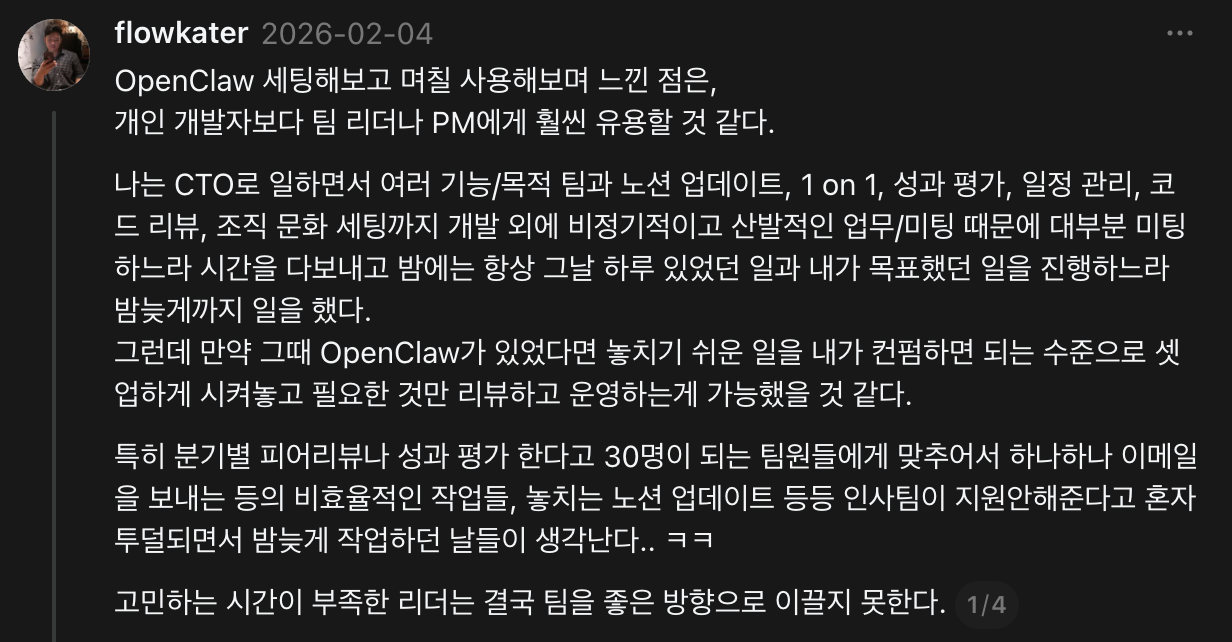
We’re a tiny team right now, so most of the delegation goes to work automation. If I were back at my previous company, managing a 30-plus team, I could probably handle most of the HR and project-management sync work alone with this setup. Tools alone don’t change anything (I know how that sounds), but Jarvis keeps sparking ideas I can’t shut off. Things like “if only I’d had this back when…” come to mind.
Per-role agents
Right now our team has 3 AI agents:
| Agent | Owner | Channel | Model | Personality |
|---|---|---|---|---|
| JARVIS (Jarvis) | Tony (developer) | Telegram | Opus | British wit, blunt butler |
| FRIDAY (Friday) | Ellie (designer) | Slack DM | Sonnet | Practical, concise, design partner |
| KAREN (Karen) | George (junior dev intern) | Slack DM | Sonnet | Socratic mentoring, questions over answers |
Each agent is tuned to its owner’s role and personality. FRIDAY is built around design feedback and Figma integration. KAREN doesn’t just hand answers to George; she runs Socratic mentoring, leading him through questions instead.
It’s basically a team lead distributing work to teammates. The lead (me) doesn’t do everything directly. I define a role and authority for each teammate (agent), and the teammates can talk to each other when needed. The only difference is the teammates are AI, so they don’t complain about working overtime. (Even now, honestly, that part’s a relief.)
graph TB
    subgraph "OpenClaw 멀티에이전트"
        JV[🤖 JARVIS<br/>Tony 전담<br/>Opus / Telegram]
        FR[🤖 FRIDAY<br/>Ellie 전담<br/>Sonnet / Slack]
        KR[🤖 KAREN<br/>George 전담<br/>Sonnet / Slack]
    end

    JV <-->|agentToAgent| FR
    JV <-->|agentToAgent| KR
    FR <-->|agentToAgent| KR

    subgraph "공유 도구"
        SC[👥 Scrumble]
        NT[📝 Notion]
        GH[🐙 GitHub]
    end

    JV --> SC
    FR --> SC
    KR --> SC
    JV --> NT
    JV --> GH
    KR --> GH
The three agents can also talk to each other (agentToAgent). For example, if Jarvis changes a backend API, it can hand that off to FRIDAY with “let Ellie know if this affects the design.”
Team collaboration via Scrumble
Our team uses a daily-scrum platform called Scrumble. (Full disclosure, I built it.) Jarvis is wired into the Scrumble API so:
- Morning check-in: Jarvis asks me about today’s condition and todos, then auto-posts my answers into Scrumble
- Evening check-out: Wraps up what I did today and logs it into Scrumble
- Team feed view: I see the rest of the team’s check-ins and check-outs in Slack
The end result is that team communication consolidates into Slack. Instead of bouncing between Notion, Scrumble, and email, each teammate’s AI agent reaches into the relevant tool and pipes the result into Slack.
A real example: from Notion to code to PR
To make it concrete, here’s one specific flow:
We have a Notion database called the “Issue & Bug Board.” When designers or QA spot a bug, they file it there. When I tell Jarvis “pull the iOS issues out of the Notion bug board and organize them,” it does this:
graph TD
    A["📝 Notion 이슈 보드"] -->|API 조회| B["🤖 자비스"]
    B -->|이슈 필터링 + MD 변환| C["📄 마크다운 문서<br/>스크린샷 포함"]
    C -->|Git Push| D["🐙 iOS 저장소"]
    D -->|git pull| E["💻 로컬 작업 시작"]

B -->|또는 위임 시| F["🔧 코드 수정 + PR"]- Query the issue board through the Notion API
- Filter for iOS-related issues
- Convert each issue into a markdown doc (screenshots included)
- Push to the iOS repo
git pulllocally and start working immediately
Push it further and tell Jarvis “fix this bug,” and Jarvis reads the code, makes the change, and opens a PR. (I do the review and the testing myself, of course.)
Obsidian Ontology: Teaching AI About ‘Me’
“The real problem of AI is not making machines think, but making them understand context.”
John McCarthy
Looking back, I also assumed at first that the trick to AI was just “asking lots of questions.” What actually mattered, though, wasn’t the question. It was how much the AI knew about my situation.
Why Obsidian
Obsidian is a local, markdown-based notes app. Unlike Notion, every piece of data lives on my computer as a .md file. Why that fits AI agents so well:
- AI can read it directly: It’s a
.mdfile, so the AI can just read and write. No API integration needed. - Search is wide open: It’s a filesystem, so
grepandfindwork right away. - Version control works: Manage it with Git and you get full history.
- Notes link to each other:
[[Note Title]]between docs builds a knowledge graph.
My Obsidian vault currently holds 3,100+ notes. Dev docs, meeting notes, food logs, mentoring notes, AI conversation archives, study material. All of it.
What is an ontology?
The word “ontology” sounds intimidating, but it boils down to “a system for classifying and connecting your knowledge.” Think of it as a library catalog system. If 3,100 books sit on the floor, finding the one you want is hard. Classify them by genre, by author, by topic, and keep an index, and now “leadership material from 2024 onward” is a quick lookup. Same for the AI. No matter how many notes you have, classification means information surfaces fast.
In my Obsidian I have an _ontology/ folder with MOCs (Maps of Content):
_ontology/
├── 프로젝트/
│   ├── Todait.md          ← 학습 플래너 관련 모든 문서 허브
│   ├── Scrumble.md        ← 스크럼블 관련 문서 허브
│   ├── ClawBot.md         ← AI 에이전트 관련
│   └── flowkater.io.md    ← 블로그 관련
├── 주제/
│   ├── AI에이전트.md
│   ├── AI코딩.md
│   ├── 건강.md
│   ├── 리더십.md
│   ├── 프로그래밍.md
│   └── ...
└── 전체 개념맵.md
Every note has metadata appended at the bottom:
## 메타데이터

- 태그: #프로젝트/서비스명 #타입/기획 #타입/스펙
- MOC: [[_ontology/프로젝트/서비스명 MOC]]
Tags fall along four axes: topic (what it’s about), type (spec, meeting note, memo), source (where it came from), and project (which project it belongs to).
Why ontology matters to AI
This is the heart of it. AI doesn’t know “me.”
Ask ChatGPT to “explain our project’s API structure.” It can’t. Every time you have to explain from scratch. The longer the chat goes, the more it forgets what you said earlier. (Sure, the Memory features in each AI service have gotten much better, but uploading information you’ve never explicitly chatted about is still limited.)
So what’s different?
Jarvis is different. With ontology in place, the gap shows up clearly. Two real examples:
Example 1: Spec drafting
AI without ontology: “Draft the schedule-edit screen for me.” Output is a generic mobile-app edit-screen UX guide, with no awareness of our app’s code structure, current issues, or backend API spec.
Jarvis with ontology: Same request. Reads the iOS code structure from the project MOC, checks the updatePolicy preserve/reset behavior in the backend API doc, finds 4 related bugs in the existing issue board, and produces a spec with a wireframe and code-edit pointers tailored to our app.
Same question, different dimensions of answer.
Here’s another example.
| Situation | Generic AI | Jarvis with ontology |
|---|---|---|
| Code review “review this PR” | Style notes, generic best-practice feedback | Checks MEMORY.md context “Day Boundary is 4 AM,” then says “this conflicts with the policy we set” |
| Newsletter summary ByteByteGo | Summarizes the technical content as-is | Summarizes plus connects: “this distributed cache pattern is applicable to our backend v2 session management” |
The key is that the same question, asked of an AI that knows my context, lands at a completely different level.
When I posted this thread, the most common question I got back was “do I have to tag every note by hand?” The answer: the AI does it. When I tell Jarvis “save this doc,” Jarvis reads it and assigns the right tags and MOC automatically. The 4 AM skill auto-update cron also picks up new information from yesterday’s chats and folds it into the related docs.
In hindsight, building the ontology wasn’t really for the AI. It was a process of understanding myself. Structuring “what I know, what I’m working on, what I care about” had the side effect of organizing the knowledge that was scattered in my head. The AI just rides on top of that structure.
Obsidian Graph ViewCommon questions
A few questions that came up on the thread:
“Aren’t graph view and backlinks already an ontology?”
Obsidian’s graph view and backlinks are part of an ontology, but they’re not enough on their own. The graph view visualizes connections between docs, and backlinks let you trace which docs reference a given doc. They’re pretty and they’re useful.
The real ontology, though, needs structure with defined types and relationships. Is this a spec doc or a meeting note? Which project does it belong to? Which topic is it tied to? That metadata is what lets the AI find context-appropriate docs fast out of 3,100 notes. With links alone, the AI has to traverse the graph to find related docs. Tag-based queries are far more efficient.
My setup uses the Dataview plugin to run tag-based queries (things like “the most recently edited spec docs in Project A”). Graph view is for browsing, ontology is for search and classification. Use both, but the roles are different.
“Why Obsidian instead of Notion?”
If you want an AI agent to read and write files directly, local markdown is the easiest path. Notion forces you through an API, write actions are limited, and structural changes are a hassle. Obsidian is just .md files, so the AI can manipulate them freely.
“What about the echo-chamber (confirmation bias) limit?”
That’s a fair point. That said, I keep collecting external sources steadily. I translate and store TLDR, ByteByteGo, Pragmatic Engineer every day, and I curate HN news daily. The bigger problem, if anything, is when the AI doesn’t know me. Sending it ten search results and asking “is this relevant to our situation” is far less productive than an AI that already knows my context saying “this won’t apply to our project, but this approach might.”
Also, building an ontology doesn’t mean Jarvis answers only from the ontology. Web search, fetching latest docs, calling external APIs. It uses all of them. The ontology provides “my context”; it isn’t the only source of truth.
“Do tags have to be precise?”
They don’t. They’re markdown files, redefinable any time. Start with rough categories and let the AI tighten them later. Better to stack notes now and structure them later than wait to start until the system is perfect. Coverage? Pretty much everything: dev docs, study material, food logs, meeting notes, mentoring notes, AI conversation archives, blog drafts, spec docs. Every record from my work and life sits in Obsidian, and Jarvis can reach all of it.
Field Tips
Setting that aside, a few tips for anyone thinking about trying OpenClaw.
Old MacBook lying around? Make it the server (or use cloud)
I run my unused MacBook as the OpenClaw gateway server, and the MacBook I actually work on is wired in as a node. Throw Tailscale on top for VPN access from outside.
You don’t have to buy a new Mac mini. A server instance on Vultr or Hetzner works fine, with your work MacBook joining as a node. The gateway can run anywhere, and the actual work (file reads, Git, terminal) executes on the node.
Lean on sub-agents
Sometimes Jarvis goes quiet. Heavy compute or long analysis means slower responses. In those moments, telling it “spin up a sub-agent and process that asynchronously” lets Jarvis dispatch a sub-agent and ping me back when results land. The main thread doesn’t stall.
This becomes especially relevant as the ontology grows and finding plus analyzing related docs takes longer. Pulling docs on a specific topic out of 3,100 notes and summarizing them is the kind of work I push to a sub-agent so the main chat stays alive.
In practice, I run almost all the heavy stuff (spec writing, code analysis, doc migration) through sub-agents. Generating four spec drafts in parallel, or converting 2,000+ AI conversations into markdown. Does this actually work? Yes.
Lean on overnight cron jobs
Letting the AI work through the night changes mornings. I have skill auto-update and doc sync running at 4 AM. When I wake up, the skills reflect yesterday’s chats and the latest code docs are sitting in Obsidian.
It’s a kind of “overnight tune-up.” A car gets an oil change and a wash overnight and feels different in the morning. (okay, the metaphor’s a stretch…)
Make dedicated accounts
This part matters. I created separate Gmail and GitHub accounts for Jarvis. I grant my main accounts read-only access to those.
Why? I can’t hand my primary password to an AI. A dedicated account with minimum permissions covers security, and if something goes sideways, the blast radius is limited. Same for calendar: Jarvis authenticates with its own account, and I share my personal calendar to it as read-only.
It’s all in how you use it
Honestly, if you install OpenClaw and only get weather alerts out of it, that’s just a weather app. Build skills, build the ontology, schedule cron jobs, hook up your work tools. That’s when it becomes a “second brain.”
The difference comes down to how much of “your” context you feed the AI. SOUL.md, USER.md, MEMORY.md, an Obsidian ontology: as those layers stack, Jarvis edges closer to “an AI that knows me.”
You don’t have to nail the setup on day one. Install it locally, hook up Telegram, ask it stuff, start there. From there, “wait, I could automate this too” comes naturally.
That’s where the real start happens.
Closing
If you’d told me six months ago “your AI agent works 24 hours a day,” I would have laughed. Honestly, I wouldn’t have believed you. I would have said “what does that even mean, how is it different from asking ChatGPT?”
Now I can’t picture working without Jarvis. Mail check, news triage, code analysis, spec drafting, team comms. Once you get used to delegating that with one Telegram message, going back is hard.
It isn’t perfect yet, of course. Sometimes it gives a wildly wrong answer, sometimes it goes silent on a complex request, sometimes an API call fails and I have a small meltdown. Even so, it gets a little better every day. Skills accumulate, the ontology thickens, I understand Jarvis better and Jarvis understands me better.
The way Iron Man’s Jarvis was Tony Stark’s “extended intelligence,” mine feels like it’s heading in that direction. I haven’t built a suit yet. (That part is going to take a while longer.)
| What I learned | Action item |
|---|---|
| AI agents aren’t “Q&A,” they’re “delegate and execute” | Install OpenClaw and write one SOUL.md |
| Keep tools split, but let the AI handle integration | Hook up the 3 tools you use most |
| Ontology decides answer quality | Pick one tag scheme in Obsidian and start |
| Cron jobs aren’t “buying time,” they’re “killing cognitive load” | Turn one daily check-in into a cron job |
I keep telling myself the same thing. This is only the beginning.
Install OpenClaw, write one SOUL.md, start with that. “Who I am, what I want from this AI”: defining that flips a switch. You don’t have to set up all 10 cron jobs at once. Just one. Wire up one morning briefing.
That one becomes ten, and ten becomes a system. It’s only a matter of time.
“There is no reason and no way that a human mind can keep up with an artificial intelligence machine by 2035.”
Gray Scott
If we can’t catch up, we go alongside.
References
- OpenClaw: AI agent framework
- OpenClaw Docs: Official docs
- OpenClaw GitHub: Source code
- Obsidian: Local markdown notes app
- Scrumble Tech Retro: Scrumble dev story

댓글
댓글을 불러오는 중...
댓글 남기기
Legacy comments (Giscus)